
 ENG
ENG  ESP
ESP 
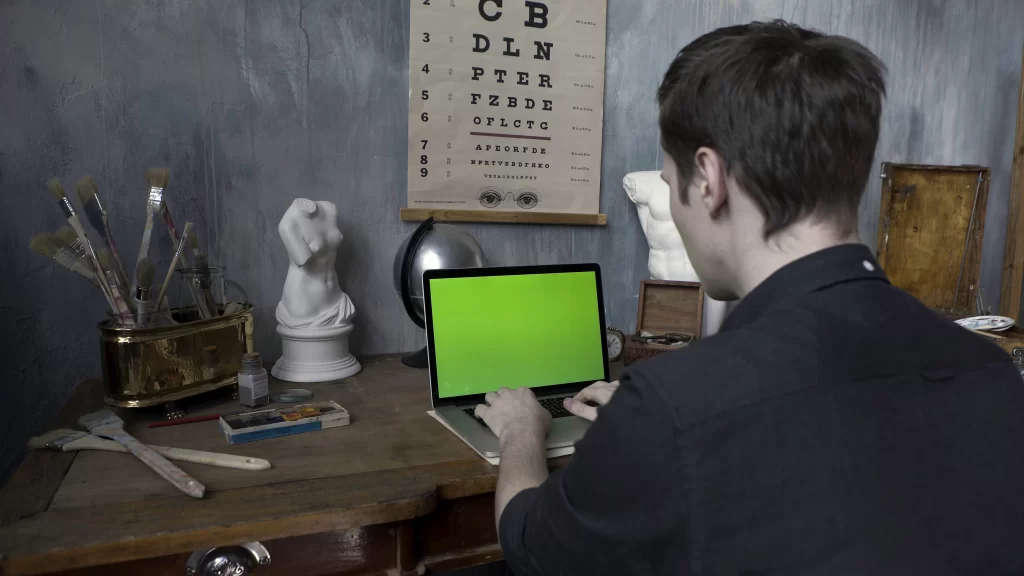
We live in front of screens. Computers, cell phones, tablets, and televisions are part of our daily routine, both at work and in leisure. We check emails, participate in video calls, watch series, browse social media, and even read digital books. Without realizing it, we spend hours demanding from our eyes without real pauses.
This new digital lifestyle has brought with it an increasingly common problem: the visual fatigue from screens, also known as computer vision syndrome. Although many people consider it something normal or temporary, ignoring the signs can lead to more complex visual problems if they are not attended to in time.
In this article, you will discover how prolonged screen use affects visual health, what the most common symptoms are, what habits can help protect your eyes, and, above all, when is it time to see an ophthalmologist.

The impact of screen use on visual health
The human eye is not designed to focus on bright objects at close range for extended periods. When we look at a screen, our eyes make a constant effort to focus and readjust, which can cause visual strain.
The computer vision syndrome it doesn't appear overnight. It develops progressively and tends to intensify when visual breaks are not respected or when proper ergonomics are not maintained.
Among the main factors that influence visual fatigue from screens are:
- Continuous use of devices without breaks
- Inadequate lighting of the environment
- Excessive or poorly calibrated screen brightness
- Incorrect distance between the eyes and the monitor
- Poor posture
- Use of screens before sleeping
All of this causes additional strain that affects not only the eyesight but also the overall well-being.
What is screen-related visual fatigue?
The visual fatigue from screens it is a set of ocular and physical symptoms that appear after prolonged use of digital devices. It is not a disease in itself, but a functional condition that indicates the eyes are being overexerted.
Unlike reading on paper, screens emit light and present imperceptible flickers that force the eye to constantly adapt. Moreover, when looking at screens, we tend to blink less, which affects the natural lubrication of the eye.
Although anyone can experience it, it is especially common in:
- People who work in front of computers
- Students
- Gamers
- Professionals who perform precision tasks
- Children and adolescents with frequent use of devices
Most common symptoms of computer eye strain
Recognizing the symptoms in time is key to avoiding complications. The visual problems due to screen use they can manifest in different ways, some more evident than others.
Ocular symptoms
- Dry eyes or gritty sensation
- Burning or itching
- Eye redness
- Temporary blurred vision
- Difficulty focusing
- Sensitivity to light
Associated physical symptoms
- Frequent headache
- Tension in neck and shoulders
- Feeling of ocular heaviness
- General fatigue
- Difficulty concentrating
Many people normalize these symptoms and attribute them to stress or daily fatigue, when in reality they are clear signs of visual fatigue from screens.
How screens affect long-term
The constant use of digital devices without visual care not only causes temporary discomfort. Over time, it can worsen or accelerate other vision problems.
Among the most frequent risks are:
- Worsening of undiagnosed refractive defects
- Increase in chronic dry eye
- Increased ocular sensitivity
- Increase in recurrent headaches
- Prolonged focus difficulties
While screens do not directly damage the retina under normal conditions, the continuous effort it can affect your quality of life and daily performance.
Is blue light really harmful?
One of the most discussed topics is exposure to blue light emitted by screens. This high-energy light can contribute to eye strain and disrupt the sleep cycle, especially when devices are used before bedtime.
Some associated effects are:
- Greater eye strain
- Difficulty falling asleep
- Disruption of the sleep-wake cycle
Therefore, more and more devices include blue light filters, and many ophthalmologists recommend healthier visual habits, especially during nighttime.
Key habits to reduce screen-related visual fatigue
The good news is that there are simple and effective actions to protect visual health in a digital environment.
1. Apply the 20-20-20 rule
Every 20 minutes, look at an object 6 meters (20 feet) away for at least 20 seconds. This habit helps relax the eye muscles and reduce visual strain.
2. Adjust your workspace
- Place the screen at eye level or slightly below.
- Maintain an approximate distance of 50–70 cm.
- Avoid direct reflections on the screen
3. Adjust the brightness and contrast
A screen that is too bright forces the eyes to work harder. Adjust the brightness according to the ambient lighting.
4. Blink with awareness
When using screens, we blink up to 60% less. Remembering to blink helps keep the eyes lubricated.
5. Limit screen use before bedtime
Reducing nighttime exposure helps protect vision and improve sleep quality.
When to see an ophthalmologist?
Here is one of the most important points. Not all symptoms are resolved just with rest. It is essential to see a specialist when:
- Blurred vision is frequent or persistent.
- Headaches become constant.
- Eye dryness does not improve.
- There is difficulty focusing.
- The symptoms interfere with work or study.
- There is a history of visual problems.
A ophthalmologist can evaluate if screen-related visual fatigue is related to an undetected refractive problem, chronic dry eye, or another condition that requires specific treatment.
Importance of periodic visual inspections
Many people believe that they should only go to the ophthalmologist when they have obvious discomfort. However, preventive check-ups allow for the detection of visual alterations before they become a major problem.
Periodic reviews help to:
- Detect changes in vision in time
- Adjust visual habits
- Prevent complications
- Maintain optimal visual performance
In a digital world, taking care of your eyesight is no longer optional, it's a necessity.
Screens and children: a combination that requires attention
Children are also exposed to devices from an early age. The computer vision syndrome in children, it can go unnoticed, as they often do not express discomfort.
Some warning signs include:
- Getting too close to the screen
- Blinking excessively
- Rubbing your eyes constantly
- Difficulty concentrating
Ophthalmological check-ups in childhood are key to ensuring healthy visual development.
Taking care of your eyesight is taking care of your quality of life.
Screens will continue to be part of our daily lives, but the way we use them makes a difference. The visual fatigue from screens, the computer vision syndrome and others visual problems due to screen use they should not be normalized.
Listening to your body, adopting healthy visual habits, and visiting the ophthalmologist when necessary can prevent discomfort, improve your performance, and protect your long-term visual health.
If you spend several hours in front of screens and notice signs of eye strain, don't let it passA timely review can make the difference between living with constant discomfort or enjoying comfortable and healthy vision. A timely check-up can make the difference between living with constant discomfort or enjoying comfortable and healthy vision.
Taking care of your eyes today is a direct investment in your future well-being.


